
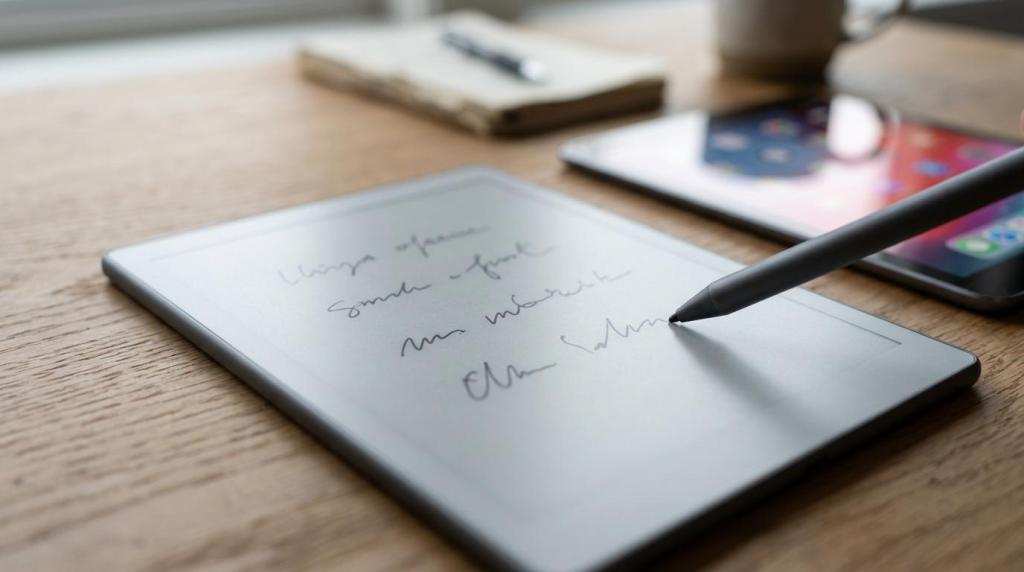
E-Ink Tablet vs iPad for Notes: Which Is Better for Focus? Leave a comment
Choosing between an e-ink tablet and an iPad for notes is not really about which device is more impressive. It is about which one helps you stay present with the material in front of you.
That distinction matters. Many people buy note-taking tech for features, then judge it later by how focused they felt while using it. Those are not the same test. A device can be powerful, fast, and beautifully designed, yet still pull your attention in six directions at once.
If your main goal is focused note-taking, the comparison gets clearer very quickly. E-ink tablets tend to win by design. iPads can get close, but only when they are set up with real discipline.
What focus really means in digital note-taking
Focus in note-taking is not just silence. It is the ability to stay on one cognitive track long enough to process, compress, and rewrite ideas in your own words.
That last part matters because better notes are rarely the longest notes. In education research, typing tends to produce more words and more verbatim capture, yet that does not always translate into better learning. A PubMed-indexed replication published in 2021 found that laptop users wrote more total words and more verbatim words than longhand note-takers, but they did not score better on a quiz after a short distraction and no study time. An earlier study found that longhand note-takers did better on conceptual questions, while laptop users were more likely to transcribe.
That is a useful frame for this device debate. When people ask which screen is better for notes, they are often really asking which tool encourages active thinking instead of passive capture.
E-ink tablet vs iPad for notes at a glance
The fastest way to compare these two categories is to separate capability from behavior. The iPad can do more. The e-ink tablet is better at doing less.
| Category | E-ink tablet | iPad |
|---|---|---|
| Screen type | Reflective e-ink | Backlit LCD or similar display |
| Visual feel | Paper-like, muted, low glare | Bright, vivid, sharper for mixed media |
| Focus by default | Strong | Moderate |
| Multitasking | Limited | Extensive |
| Handwriting experience | Usually central to the device | Excellent with Apple Pencil, but not the only mode |
| Distraction risk | Lower | Higher |
| Reading long documents | Often more comfortable | Good, but screen fatigue can build faster |
| App ecosystem | Narrower | Broad and powerful |
| Best for | Deep reading, handwritten notes, quiet work | Notes plus research, collaboration, media, and app switching |
The table points to the core trade-off. One device removes options. The other gives you nearly all of them.
For many people, focus improves when options shrink.
E-ink tablets and visual fatigue during long note sessions
The screen itself changes the experience more than people expect. A PubMed-indexed reading study from 2013 found that LCD reading triggered higher visual fatigue than e-ink and paper. That does not mean every iPad session is uncomfortable, or that e-ink is automatically perfect. It does mean the display technology has a measurable effect on how demanding long reading sessions can feel.
That matters for note-taking because notes rarely happen in isolation. You read a chapter, mark a PDF, write a summary, review your own comments, then return to the text. A bright multipurpose screen can do all of that very well, but it often keeps your eyes in a more active, stimulated state. E-ink tends to feel quieter.
There is also a behavioral side to this. Most e-ink tablets are intentionally restrained. Their slower refresh, limited app selection, and simpler interface create friction around drifting into other tasks. That friction is not a flaw if focus is the goal. It is often the point.
A focused e-ink setup usually offers these advantages:
- Lower visual intensity
- Fewer app temptations
- Better fit for long reading blocks
- More paper-like handwriting feel
- Less pressure to multitask
This is why many people describe e-ink tablets as calming. They are not magic. They simply remove several common triggers for screen fatigue and attention drift.
iPad note-taking and the multitasking trade-off
The iPad is a more flexible machine, and that flexibility is genuinely useful. Apple supports Split View, Slide Over, Center Window, Picture in Picture, app switching, and drag-and-drop between apps. If your workflow involves pulling quotes from a paper, dropping them into a note, checking a calendar, and joining a meeting, the iPad can handle all of it in one place.
That power is a real advantage for research-heavy work. Students, consultants, designers, and managers often need notes to sit next to source material, messages, files, and reference tabs. On an e-ink tablet, that kind of fluid switching may feel limited or slow. On an iPad, it feels natural.
Yet the same strength creates the central problem. A device built for multitasking invites multitasking. Even when notifications are muted, the mind knows the other apps are there. Email is one swipe away. So is the browser, music, chat, shopping, and everything else competing for working memory.
The iPad shines in mixed workflows:
- Research-heavy classes: notes beside readings, slides, or PDFs
- Meeting follow-up: note-taking, task capture, and calendar updates in one session
- Creative planning: handwriting, sketching, screenshots, and file import
- Team collaboration: shared documents, comments, and live edits
If your day depends on one device doing everything, the iPad is hard to beat. If your day falls apart whenever one device does everything, the e-ink route starts looking smarter.
Handwriting, verbatim notes, and note quality
The most useful research insight here is not that handwriting is always better than typing. It is that the mode of input shapes the kind of thinking you do while taking notes.
When people type quickly, they often capture more of the lecture or meeting word for word. The original longhand-versus-laptop study found exactly that. Laptop note-taking produced more verbatim transcription, while longhand note-takers performed better on conceptual questions. The 2021 replication and mini meta-analyses supported part of the same pattern: laptop users wrote more, but that did not produce better quiz performance in that study design.
That is a warning against equating note volume with note value.
In practice, this means an iPad can support two very different note-taking styles. If you use a keyboard, the device can nudge you toward transcription. If you use Apple Pencil and write by hand, it can support a much more selective process. E-ink tablets usually push even harder in that direction because handwriting is often the primary mode rather than one option among many.
The difference is subtle but important. A tool that centers handwriting can slow you just enough to think. A tool that centers speed can tempt you to capture first and process later.
For focus-first users, that slower pace is often a feature.
How iPad settings can reduce distraction, but not erase it
An iPad does give you tools to create a cleaner environment. Apple’s Focus feature can silence all notifications or allow only selected ones. Focus filters can limit what apps like Mail, Messages, Calendar, and Safari show while a Focus mode is active. That is a serious improvement over the old all-or-nothing approach to device silence.
So yes, an iPad can be configured to feel much more like a dedicated note-taking tool.
Still, reducing distraction is different from removing it. Research on distraction shows that reward-driven distraction effects are robust across contexts, even if the size of those effects varies by situation. In plain language, tempting stimuli keep pulling attention because the brain is built to react to them. A bright multipurpose tablet can be managed. It is rarely neutral.
If you want the iPad experience with better focus, these settings do the most work:
- Focus mode: allow only note apps, class apps, or work contacts
- Focus filters: hide distracting inboxes, message threads, and casual browser tabs
- Home screen: keep only note-taking and reading apps on the first page
- Apple Pencil first: write by hand when the goal is synthesis, not transcription
- No keyboard during lectures: reduce the urge to capture every sentence
- Single-app sessions: avoid Split View unless the second pane is genuinely necessary
An iPad becomes more disciplined when you treat focus as an operating rule, not a mood.
Which note-taking device fits your study or work style
The better pick depends less on specs and more on the kind of attention your work requires.
If your strongest work happens in long, quiet blocks, e-ink is usually the cleaner answer. It supports reading, annotation, and handwritten synthesis without asking your brain to manage a wider digital environment. That is especially attractive for graduate reading, reflective writing, sermon notes, legal review, book notes, and meeting notes where depth matters more than speed.
If your notes are part of a wider production system, the iPad may be worth the trade-off. It can hold source material, note apps, calendars, recordings, screenshots, and collaboration tools in one place. That convenience is real. Many people will gladly accept a bit more temptation in exchange for less friction around workflow.
A simple way to decide is to ask what usually breaks your concentration.
- If your problem is eye strain and app drift, choose e-ink.
- If your problem is device switching and file juggling, choose iPad.
- If your problem is verbatim capture, choose handwriting first, on either device.
- If your problem is impulse checking, pick the device that gives you fewer chances to do it.
There is also a middle-ground user, and that group is growing. Some people keep an e-ink tablet for deep reading and handwritten notes, then use an iPad or laptop later for sorting, sharing, and polished output. That two-device setup is not excessive if it protects your best cognitive work.
The real question is not which device can do more. It is which one asks less from your attention while you think.
 For focus-first note-taking, e-ink has the built-in advantage. The iPad can compete, but only when its power is carefully restrained.
